7. My Options
Navigating My Options
- Your AirSense 10 device has been set up for your needs by your care provider, but you may find you want to make small adjustments to make your therapy more comfortable.
- Highlight My Options and press the dial to see your current settings. From here, you can personalise your options.
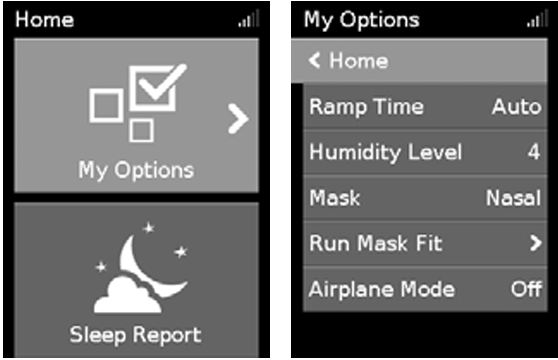
Note: If using ClimateLineAir tubing, the My Options screen will look like this.
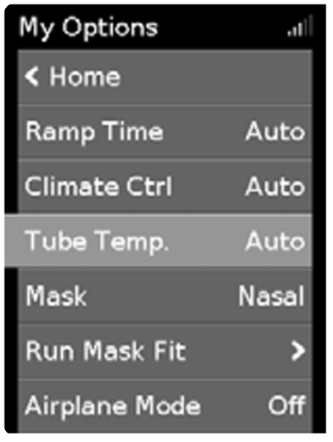
When Climate Control is set to Auto with ClimateLineAir, the Humidity Level is set automatically by the machine. To alter humidity settings yourself, Climate Control must be changed to Manual. Refer to the ClimateLineAir tubing manual for instructions.
Ramp Time
Designed to make the beginning of therapy more comfortable, Ramp Time is the period during which the pressure increases from a low start pressure to the prescribed treatment pressure.
You can set Ramp Time to Off, 5 to 45 minutes, or Auto. When Ramp Time is set to Auto, the device detects when you have fallen asleep and then automatically rises to the prescribed treatment pressure.
To adjust Ramp Time
- In My Options, turn the dial to highlight Ramp Time, then press the dial.
- Turn the dial to adjust the ramp time to your preferred setting and press the dial to save the change.
Humidity Level
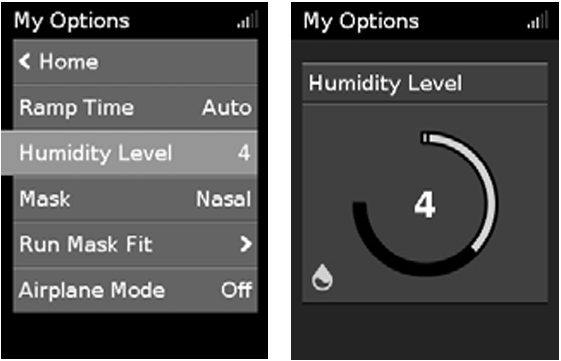
The humidifier moistens the air and is designed to make therapy more comfortable. If you are getting a dry nose or mouth, increase the humidity level. If you are getting moisture in your mask, decrease the humidity level.
You can set the Humidity Level to Off or between 1 and 8, where 1 is the lowest humidity setting and 8 is the highest humidity setting.
To adjust Humidity Level
- In My Options, turn the dial to highlight Humidity Level, then press the dial.
- Turn the dial to adjust the humidity level and press the dial to save the change.
If you continue to experience a dry nose or mouth, or moisture in your mask, consider using ClimateLineAir heated air tubing. ClimateLineAir together with Climate Control delivers more comfortable therapy.
Mask Fit
Mask Fit is designed to help you assess and identify possible air leaks around your mask.
To check Mask Fit
- Fit the mask as described in the mask user guide.
- In My Options, turn the dial to highlight Run Mask Fit, then press the dial. The device starts blowing air.
- Adjust the mask, mask cushion, and headgear until you get a Good result.
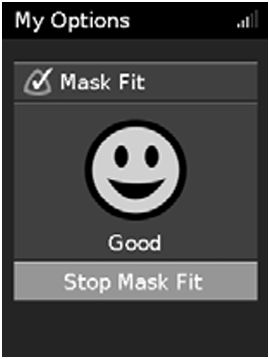
To stop Mask Fit, press the dial or Start/Stop.
If you are unable to get a good mask seal, talk to your care provider.
More options
There are some additional options on your device that you can personalise.
- Pressure Relief* – When enabled, you may find it easier to breathe out. This can help you get used to therapy.
- SmartStart* – When enabled, therapy starts automatically when you breathe into your mask. When you remove your mask, therapy stops automatically after a few seconds.
*When enabled by your care provider.