AirSense 10 User Guide
Starting therapy
4. Starting Therapy
Steps
- Fit your mask. To check your mask fit, refer to My Options.
- Press Start/Stop
 , or breathe normally if SmartStart™ is enabled.
How you know therapy is on
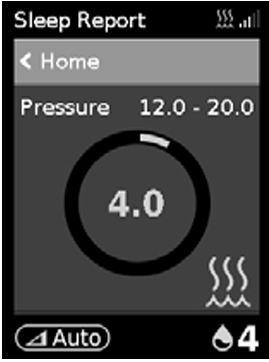
- The Sleep Report screen is displayed.
- The current treatment pressure is shown in green.
- During ramp time the pressure is gradually increasing and you will see a spinning circle. Once the prescribed treatment pressure is reached, the entire circle will be green.
Screen behaviour
- The screen will go black automatically after a short period of time.
- Press Home
 or the dial
  to turn the screen back on.
Additional information
- If power is interrupted during therapy, the device will automatically restart therapy when power is restored.
- The device has a light sensor that adjusts screen brightness based on the light in the room.