AirSense 10 User Guide
About your device
2. About Your Device
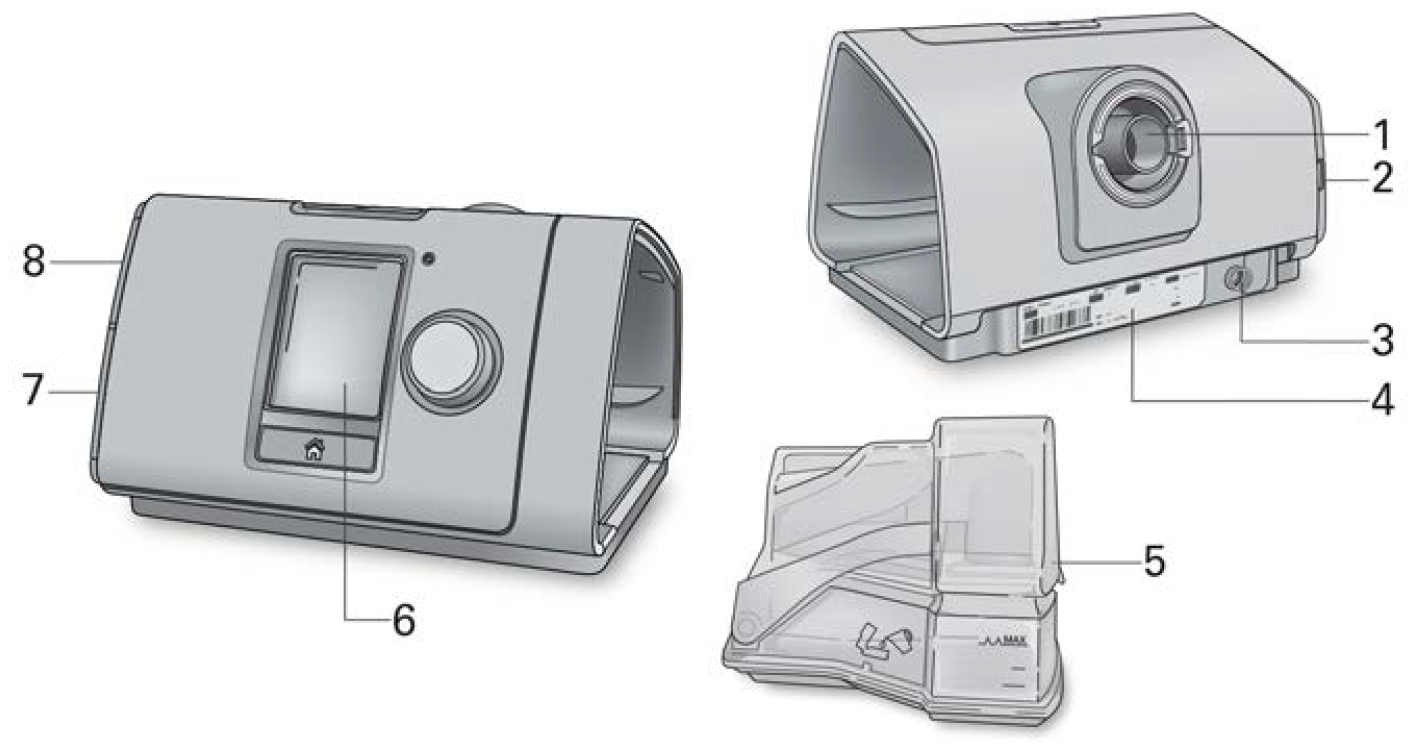
- Air outlet
- Air filter cover
- Power inlet
- Serial number and device number
- HumidAir humidifier
- Screen
- Adapter cover
- SD card cover
About the Control panel
 Start/Stop button
|
Press to start/stop therapy. Press and hold for three seconds to enter power save mode. |
 Dial
Dial
|
Turn to navigate the menu and press to select an option. Turn to adjust a selected option and press to save your change. |
 Home button
|
Press to return to the Home screen. |
Different icons may be displayed on the screen at different times including:
 Ramp Time
|
 Wireless signal strength (green)
|
 Ramp Time Auto
|
 Wireless transfer not enabled (gray)
|
 Humidity
|
 No wireless connection
|
 Humidifier warming
|
 Airplane Mode
|
 Humidifier cooling
|